


Remote Control App For All TVs
4.4307.00 Reviews
App Specs
- Version
- 1.4.3
- Updated On
- License
- Free
- Downloads
- 1,000,000+
- Developer
- HOOHUA
- Categories
- Productivity
- Platform
- Android
Screenshots
 Analysis by AppCompare
Before I reach for a phone remote, I try to make the living-room routine less scattered: keep the TV’s regular remote in one predictable place, know which network the TV uses, and decide whether I need basic controls or a way to find something to watch. That small bit of order matters because an app is only helpful when it removes friction rather than adding another setup step. Remote Control App For All TVs is aimed at the simple part of that problem: using a phone as a shared control point instead of hunting through cushions for the right handset.
When a phone remote fits the routine
I find a phone-based remote most useful when the physical remote has wandered off, when I want to adjust the TV without getting up, or when someone else in the room already has their phone handy. It can also make sense in a home where several people take turns choosing what to watch: the person with the phone can adjust volume or browse without passing around a dedicated controller. The convenience is practical rather than magical, though. A phone has to be charged, within reach, and connected in the way the TV control setup expects.
A realistic example is a weeknight when I am settling in, the TV is already on, and the usual remote is nowhere nearby. If the phone and TV are on the same Wi-Fi network, an app remote can spare me the search and let me handle ordinary adjustments from the sofa. I would still leave the physical remote somewhere easy to find for situations where the phone is unavailable, the network has changed, or someone needs a familiar set of buttons.
Make the setup part of the household system
HOOHUA’s app belongs to the productivity side of mobile software, even though its job is home entertainment: it is meant to make a small recurring task easier to manage. I would treat setup as a one-time household chore rather than something to repeat whenever a show starts. Confirm that the phone and TV use the same Wi-Fi network, complete the connection process, and then decide where the phone will normally be when it serves as the remote. That last step sounds obvious, but it is the difference between a useful routine and another device to search for.
It is also worth thinking about who will use it. If another person in the household expects to control the TV, have them try the basic controls before relying on the app during a movie or live program. A remote that one person understands but everyone else avoids has not really simplified the room. I would keep the physical controller available until the phone-based option has become familiar and reliable in the situations that matter at home.
Where it differs from a regular remote
A standard TV remote is still the easiest choice for tactile control: its buttons are always arranged in the same place, and it does not compete with messages or calls for attention. A phone remote has a different advantage. It can combine TV controls with tools such as channel favorites and show reminders, so I can use it for more than pressing volume up and down. The trade-off is that it depends on a phone and a network-based setup, while a physical remote is a dedicated object with a simpler job.
Against other remote-control apps, I would judge this one by whether its controls and extra functions genuinely reduce steps for my own TV habits. A broad set of options is not automatically better: if I mainly change volume and select a channel, a simpler remote or the TV maker’s own app may suit me better. If I often forget when a program is on, use favorite channels, or want to search across streaming services, the additional tools described here have a more compelling role. I would start with the tasks I actually repeat, rather than choosing an app because its feature list sounds long.
Worth Reading Before You Choose

EA SPORTS FC Mobile 26 Is a Bigger Football Game, but It Takes Time

Flipboard Shows What News Apps Must Do Beyond the Feed

Switching to Android Auto Means Rethinking Your Driving Routine

Google Calendar Makes a Crowded Week Easier to Manage

Ludo King Makes the Most of the Minutes Between Plans

Baby Panda World Brings Quick Play to Modern Phones, but Its Game Library Feels Busy
The app is free to download, and its in-app purchases range from $3.99 to $94.99 per item. I would check what an optional purchase offers before paying, then compare that benefit with the controls I already use. The free starting point makes it possible to assess whether the basic workflow suits the household, while the wide purchase range is a reason to be deliberate about spending instead of assuming every extra is necessary.
Setting Up: A Walk in the Park
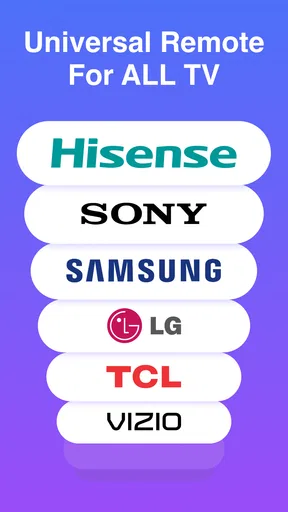
Getting started with the Remote Control App For All TVs is as smooth as butter. Once you download it from the app store, the setup process is pretty straightforward. You just need to ensure your phone and the TV are on the same Wi-Fi network. The app does an excellent job of walking you through the steps, almost like having a tech-savvy friend guiding you. It supports a wide range of TV brands, so chances are, your TV is covered.
User Experience: Smooth Sailing
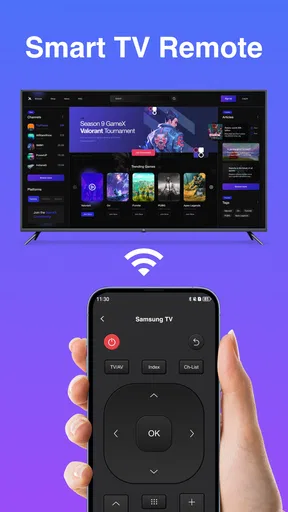
The app’s interface is intuitive and user-friendly, making it a breeze to navigate. The design is crisp, with all the essential buttons right at your fingertips. Whether you’re switching channels, adjusting the volume, or diving into the settings menu, everything is just a tap away. One of my favorite features is the customizable layout, letting you tailor the remote to your preferences. Who doesn't love a bit of personalization?
Performance: Quick and Reliable
In terms of performance, this app shines brightly. The response time is impressively quick, with minimal lag between your command and the TV's action. It feels just like using a physical remote, but with the added benefit of having it all in one device. Plus, it supports voice commands, which is a game-changer when you’re too comfy to reach for your phone.
Compatibility isn’t an issue here. Whether you’ve got an old-school TV or the latest smart TV, the app integrates seamlessly. This broad compatibility ensures it caters to a wide audience, making it a versatile choice for anyone looking to simplify their home entertainment setup.
Features That Stand Out
One standout feature is the ability to set reminders for your favorite shows. No more missing out on the latest episode because you forgot the time. Additionally, the app allows you to create a list of favorite channels for quick access, saving you the hassle of surfing through endless channels.
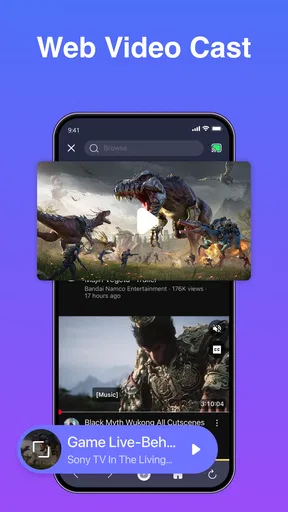
Another neat addition is the screen mirroring capability, which lets you project your phone’s screen onto the TV. Perfect for sharing photos or videos with family and friends without everyone crowding around a tiny screen.
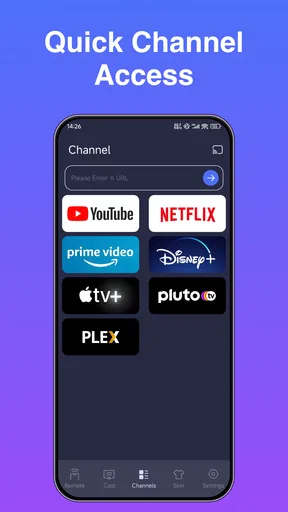
Moreover, there’s a universal search feature that lets you search for content across different streaming services directly from the app. It’s like having a personal assistant that helps you find what you want to watch in mere seconds.
Where I’d pause before relying on it
Even a smooth first setup does not make a phone remote the right answer for every room. The same-network requirement is an important practical dependency: if the phone has switched to a different Wi-Fi network, or the TV is no longer reachable through the home connection, the routine may stop working until the connection is sorted out. I would test the app after a router restart or network change rather than discovering a problem when everyone is waiting to start a program.
There is also a difference between having a feature and making it part of a habit. Reminders are useful only if I take the time to set them for shows I genuinely care about; favorites help most when I keep the list short enough to scan. For a household that mostly watches through a few fixed inputs, those extras may be unnecessary. I would use the app’s customization to put the actions I reach for most in the easiest spots, rather than spending time arranging controls I rarely touch.
Who will get the most from it
This is a sensible option for someone who already keeps a phone nearby and wants a convenient backup or everyday controller for a compatible TV. It is especially appealing if channel favorites, show reminders, voice control, mirroring, or cross-service search match how you actually watch. The app has a 4.4 average from around 2.9 thousand ratings, and more than 500 thousand installs, which suggests that plenty of people have considered it for this kind of home use; those figures are context, not a guarantee that it will fit every TV or household.
I would be more cautious if you prefer physical buttons, regularly hand the remote to children or guests, or want a control method that does not rely on having a phone ready. In those cases, the TV’s original remote is the more dependable everyday tool, and the manufacturer’s own app may be worth comparing if you want controls tailored to a particular set. The app is rated for Everyone, is free to install, and is currently version 1.4.3; it requires operating system 10 or later. Those details make it straightforward to assess whether it fits your device before building it into your routine.
A measured place in the living room
My recommendation is to think of this as a useful layer in a home setup, not a reason to discard the physical remote. Try the basic controls first, then add only the options that solve a recurring annoyance: favorites for channels you reach for often, reminders for programs you keep missing, or mirroring when you want to share something from your phone. That approach keeps the app from becoming another cluttered screen and makes its convenience easier to judge.
Released on October 24, 2024, and developed by HOOHUA, this productivity app has a clear everyday purpose: put TV control and a few viewing-related tools within reach on a phone. I like the idea most when it fits a household’s existing habits and saves a small but repeated hassle. If you want a tactile controller above all else, keep using the standard remote; if you want a flexible phone-based alternative and are comfortable with the network dependency, this is worth trying.
In conclusion, if you're tired of juggling multiple remotes or simply want to streamline your home entertainment setup, the Remote Control App For All TVs is a must-try. It combines functionality with ease of use, making it a reliable companion for your TV time. Give it a shot and enjoy the convenience of controlling your TV with just a tap or a voice command!
Pros
- Supports a wide range of TV brands.
- Easy setup with a user-friendly interface.
- Customizable remote control layout.
- Voice control feature for hands-free use.
- No need for additional hardware.
Cons
- May not work with older TV models.
- Advertisements can be intrusive.
- Requires a stable Wi-Fi connection.
- Some features are locked behind a paywall.
- Limited support for non-smart TVs.
FAQs for Remote Control App For All TVs
How does the Remote Control App For All TVs work?
The Remote Control App For All TVs works by turning your smartphone into a universal remote. It connects to your TV via Wi-Fi or infrared, depending on your device's compatibility. Once connected, you can control your TV's volume, channels, and other functions directly from your phone.
Is my TV compatible with the Remote Control App?
Most modern TVs are compatible with the Remote Control App, but it primarily supports smart TVs with Wi-Fi connectivity. For older models, the app may require an infrared (IR) blaster on your phone. Check the app's compatibility list or your TV's specifications to confirm support.
What features does the Remote Control App offer?
The app offers a wide range of features, including channel switching, volume control, input selection, and access to smart TV features like streaming apps. Some versions may also allow you to create custom remote layouts or use voice commands for hands-free operation.
Are there any subscription fees or in-app purchases?
The basic version of the Remote Control App is typically free, but it may include ads. Some advanced features or an ad-free experience might require in-app purchases or a subscription. Always check the app's pricing details in the app store before downloading.
Is the Remote Control App safe to use?
Yes, the app is generally safe to use, provided it is downloaded from a reputable source like the Google Play Store or Apple App Store. Always ensure your app permissions are appropriately set and read user reviews to ensure it meets your security expectations.


